
You’re standing in the clearance aisle at Target on a Thursday evening. There’s a Bluetooth speaker originally $89, now marked down to $22.
Everyone else walks past it. Too cheap, probably defective, not worth the hassle.
You pull out your phone. Three seconds later, your Amazon barcode scanner app shows you something different. Sales rank of 2,847 in Electronics. Currently selling for $74 on Amazon with only 3 FBA sellers. After Amazon fees and shipping, you’re looking at $31 profit per unit. There are twelve of them on the shelf.
You buy all twelve. That’s $372 profit from a 90-second decision and you made it confidently because your Amazon seller scanner app did the math for you.
This scenario plays out thousands of times daily across America. Successful retail arbitrage sellers aren’t luckier or smarter. They just have better tools for making split-second sourcing decisions. The right Amazon seller app scanner transforms physical retail stores into your personal inventory warehouse, where someone else has already done the hard work of stocking shelves with products customers want to buy.
But here’s what nobody tells you upfront about Amazon scanner apps. Not all scanning apps are created equal, and choosing the wrong one costs you way more than the monthly subscription fee. It costs you in missed opportunities, wasted time scanning dead-end products, and incorrect profit calculations that turn “great deals” into margin-killing mistakes.
We spent six weeks testing every major Amazon seller scanner app, interviewed sellers moving $10,000+ monthly through retail arbitrage, and dug through hundreds of forum posts where sellers complain about what actually goes wrong with these tools. What emerged was a clear picture of which apps genuinely help sellers make money and which ones just look good on paper.
TL;DR: Your Scanner App Decision Made Simple
Finding profitable products to resell on Amazon shouldn’t feel like solving a Rubik’s cube blindfolded. The right Amazon scanner app transforms retail arbitrage from educated guessing into a data-driven operation where you know within seconds whether that clearance item is worth buying.
After analyzing dozens of Amazon seller scanner apps and interviewing sellers who scan thousands of products monthly, here’s what actually matters. The Amazon Seller App works fine for beginners testing the waters. It’s free, connects directly to your seller account, and handles basic profit calculations. But serious retail arbitrage sellers need tools that work offline, show historical pricing data, and calculate profits across 15+ variables in under a second.
The biggest mistake? Choosing based on price alone. That $10 monthly Amazon barcode scanner app might save you money upfront, but if it crashes every third scan or can’t function in Walmart’s basement-level clearance section with zero cell service, you’re losing money on missed deals. Meanwhile, that $44 monthly tool with offline database mode just paid for itself by letting you scan 200 books at a library sale while everyone else stood around waiting for their apps to load.
Quick Checklist for Choosing Your Amazon Scanner:
Key Statistics (2025):
Three paths forward:
Path 1 (Beginner): Start with the free Amazon Seller App to learn the basics of scanning and profit calculation. Upgrade once you’re scanning 50+ items per trip and understand your category restrictions.
Path 2 (Intermediate): Choose Scoutly or Profit Bandit ($10-35/month) with Keepa integration. This gives you historical data and offline capability without enterprise-level costs.
Path 3 (Advanced): Invest in ScoutIQ for books, Scoutify for general retail arbitrage with InventoryLab integration, or ScanPower for warehouse-level operations. These tools pay for themselves when you’re sourcing $1,000+ weekly.
Now let’s dive into exactly how these Amazon FBA apps actually work and which one matches your business model.
An Amazon scanner app is essentially a mobile profit calculator on steroids. You point your phone’s camera at a product barcode, and within seconds the app pulls data from Amazon’s massive database to show you whether that product is worth buying for resale.
The technology behind these apps connects to Amazon’s Selling Partner API, which provides real-time access to pricing data, sales rankings, competitor information, and fee calculations. Some premium Amazon FBA apps go further by downloading Amazon’s entire product database directly to your phone, enabling offline scanning when you’re in stores with terrible cell reception.
Here’s what happens in those two seconds between scanning a barcode and getting your profit estimate.
The app captures the barcode image using your phone’s camera. It decodes the UPC, EAN, or ISBN number embedded in those black and white lines. Then it searches Amazon’s catalog for matching products. Which isn’t always straightforward because the same UPC might have multiple listings for different conditions, bundles, or pack sizes.
Once it finds the correct product, the Amazon product scanner pulls current marketplace data. Who’s selling it? What’s the lowest FBA price? What’s the lowest merchant-fulfilled price? Who holds the Buy Box right now? What’s the current Best Sellers Rank? How many total sellers are competing?
“The part that keeps new sellers awake at night is realizing too late that their profit calculations were wrong. They forgot about long-term storage fees, or they didn’t account for the actual shipping dimensions, or they based their decision on a temporarily inflated price that dropped 40% by the time their inventory reached Amazon’s warehouse.” – Dilip Vamanan, Co-Founder of SellerApp
Then comes the critical calculation part. The best Amazon seller scanner apps factor in 15+ variables to give you an accurate net profit figure:
The apps that skip these calculations? They’re basically worthless for actual business decisions. Seeing “25% ROI” means nothing if the app forgot to include three months of storage fees that eat your entire margin.
Visual search capabilities are newer tech that some Amazon FBA scanner tools added recently. Point your camera at a product without even finding the barcode, and the app uses image recognition to identify it. This works surprisingly well for distinctive products but gets confused with generic items that look similar.
The real power comes from historical data integration. An Amazon seller app scanner that connects to Keepa or CamelCamelCamel shows you price history graphs right in the scanning interface. You can see if that “great” Amazon price is actually normal, or if it spiked temporarily because of a supply shortage that’s about to correct itself.
Time compression is the entire game in retail arbitrage. The profitable items move fast. That clearance shelf gets picked over within hours of markdowns hitting the system. Using an Amazon scanner means the difference between scanning 300 items in a two-hour sourcing trip versus maybe 40 items if you’re manually looking everything up.
The math is brutal. Manual research takes 3-5 minutes per product, finding it on Amazon, checking multiple seller offers, calculating fees, looking up sales rank, checking Keepa data. An Amazon barcode scanner app does the same analysis in under 3 seconds. That’s a 60x speed multiplier.
But speed without accuracy is just expensive mistakes happening faster. The real value comes from making correct decisions quickly.
Here’s what we’ve observed from sellers who switched from manual research to proper Amazon FBA scanner apps. Their profitable product identification rate jumped from maybe 1 in 20 items scanned to roughly 1 in 8. Not because the stores suddenly stocked better inventory, but because the apps revealed opportunities they were missing or avoiding due to incomplete information.
Marcus came to us after three months of hobby-level Amazon selling was barely covering his gas money for store trips. He’d been using the basic Amazon Seller App to scan books at thrift stores and library sales, finding maybe 15-20 profitable books per week.
His Starting Position:
The Process We Followed:
Week 1-2: Marcus switched to ScoutIQ with database mode. The offline scanning meant he could work the entire library sale without fighting for cell signal like other sellers. More importantly, ScoutIQ’s eScore metric showed him which books actually sold regularly versus books that just happened to have decent sales ranks.
He discovered something critical. Those $8-12 textbooks he’d been avoiding? Many of them had eScore ratings showing they sold 40+ days out of the last 180. The higher purchase price was offset by faster sell-through and better margins.
Week 3-4: With faster scanning (the offline database delivers results in under 1 second), Marcus was now scanning 600-800 books per trip. His acceptance rate stayed around 8%, but 8% of 700 books is way different than 8% of 200. He was sourcing 50-60 books per week instead of 15-20.
Week 5-8: Marcus started using ScoutIQ’s profit triggers. He set the app to vibrate when a book showed over $8 estimated profit. This let him scan shelves rapid-fire, only pausing when a winner popped up. His sourcing trips dropped from 3 hours to 90 minutes because he stopped wasting time double-checking marginal books.
Result: Within 8 weeks, Marcus was consistently moving $8,000-9,500 monthly through Amazon FBA, sourcing 200-250 books per week with average profits of $7.20 per book. The ScoutIQ subscription ($44/month) paid for itself after scanning his first 7 profitable books.
Why This Worked: The combination of offline scanning speed, category-specific metrics (eScore for books), and smart alert systems let Marcus process 4x more inventory in less time. The upgrade from a basic Amazon seller scanner app to a specialized tool matched his business model perfectly.
Let’s cut through the noise. There are dozens of Amazon barcode scanner apps, but only seven dominate the retail arbitrage space. Each has distinct strengths and weaknesses that make it ideal for specific seller types.
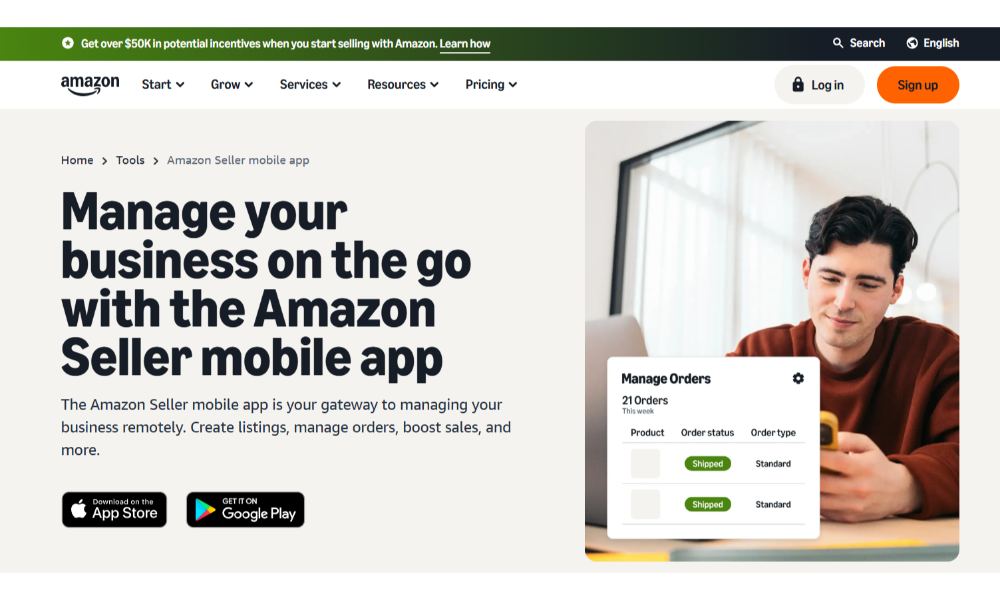
This is Amazon’s official scanner tool, and for many sellers it’s where the journey begins. The Amazon Seller App is completely free and integrates directly with your Seller Central account, which means you can scan products, check profitability, and list items for sale all from the same interface.
What it does well: The barcode scanning function works smoothly on both iPhone and Android devices. Point your camera at any UPC or barcode, and within 2-3 seconds you’ll see potential product matches on Amazon. The app shows current selling prices, estimated FBA fees, Best Sellers Rank, and a basic profit calculator that compares FBA versus merchant fulfilled options.
The inventory management features are surprisingly robust for a free tool. You can track stock levels, receive low-inventory alerts, adjust pricing on the fly, and even create new product listings using Amazon’s Product Photo Studio feature built into the app.
Key Features:
Limitations:
Here’s where the Amazon Seller App starts showing its limitations for serious retail arbitrage work. No historical pricing data means you’re making decisions based only on current prices, which can be misleading. That product selling for $45 right now might usually sell for $28, but you won’t know that without separately checking Keepa.
The profit calculator is basic. It doesn’t factor in long-term storage fees, and it occasionally displays promotional prices as if they’re the standard market price, which distorts your profit calculations.
“New sellers often don’t realize the Amazon Seller App shows them the Buy Box price, not necessarily the lowest price. They think they’re competing against $29.99 when there are actually 8 FBA sellers at $26.50 who just don’t have the Buy Box at that moment. These small information gaps cost sellers thousands in bad buying decisions.” – Brij Purohit, Co-founder of SellerApp
Perhaps most frustrating for active retail arbitrage sellers: the app provides no integration with price tracking tools like Keepa or CamelCamelCamel. You can’t see sales rank history, price fluctuations, or seasonal patterns. You’re flying blind on historical context.
Best for: New sellers learning the basics of Amazon scanning, sellers making quick ad-hoc decisions, anyone who wants a free Amazon seller app scanner to test retail arbitrage before investing in premium tools.
Pricing: Completely free
Compatibility: iOS and Android
Book selling on Amazon follows different rules than general retail arbitrage. Sales ranks mean different things, prices fluctuate based on semester schedules for textbooks, and the sheer volume of potential inventory requires incredibly fast scanning.
ScoutIQ is built specifically for Amazon booksellers, and that specialization makes it the dominant app in its niche. What sets it apart is the eScore metric—instead of just showing you a sales rank, eScore tells you how many days in the last 180 the book actually sold. A book with rank 200,000 but eScore of 60 is way better than rank 50,000 with eScore of 8.
The offline database mode is essential for book sellers. Library sales and estate sales often happen in locations with terrible cell reception. Download ScoutIQ’s database, and you’re scanning at full speed even in a basement with zero signal.
Key Features:
The app analyzes Prime prices, Used prices, and Buy Box data to suggest realistic selling prices. It accounts for the fact that Amazon itself often sells books, which dramatically changes competitive dynamics.
Limitations:
ScoutIQ only works well for books. You can scan other products, but the features are optimized for ISBN-based inventory. The database is currently limited to US and UK marketplaces, so international sellers need different solutions.
Some users report occasional glitches in live mode, and the database sync can be slow on older phones. However, the core scanning functionality is rock-solid once the database is downloaded.
Best for: Anyone serious about selling books on Amazon, sellers working library sales or estate sales with poor internet connectivity, sellers who need to scan 500+ books per session.
Pricing: $14/month for live lookups only, $44/month for live + database mode
Compatibility: iOS and Android
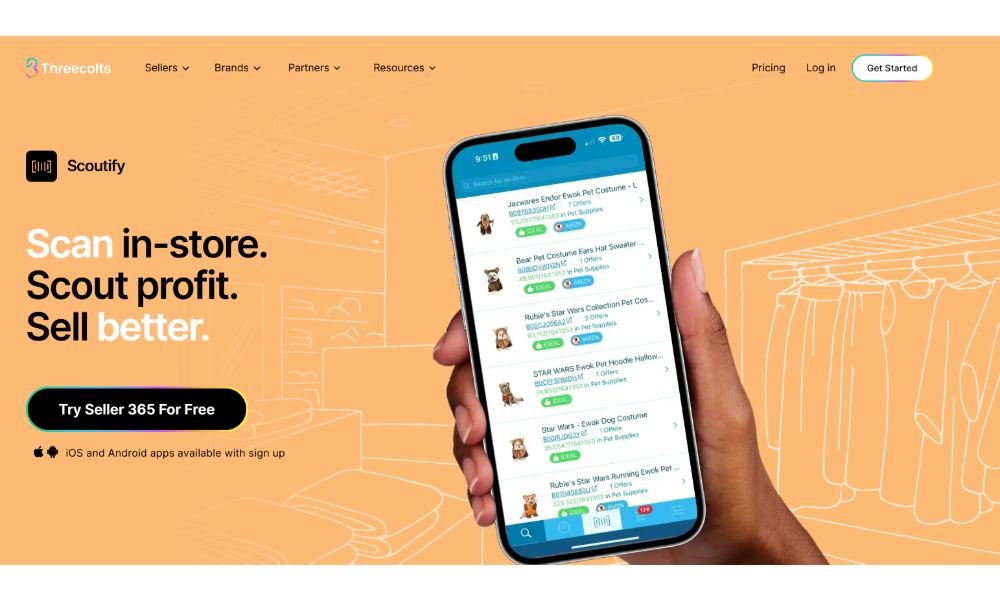
You can’t use Scoutify without an InventoryLab subscription ($69/month), which makes it more expensive than standalone Amazon FBA scanner apps. But if you’re already using InventoryLab for inventory management, the included scanning capability is excellent value.
The app requires a Professional Amazon seller account—individual sellers can’t access it. This makes sense given InventoryLab’s target market, but it’s worth noting for anyone still on an individual selling plan.
Best for: Sellers doing 50+ units weekly who benefit from integrated inventory management, anyone doing large sourcing trips that require rapid scanning, sellers who want detailed profitability metrics and streamlined FBA shipment creation.
Pricing: $69/month as part of InventoryLab subscription
Compatibility: iOS and Android
Scoutify comes bundled with InventoryLab subscriptions, making it the Amazon scanner app of choice for sellers who want scanning capability integrated with comprehensive inventory management. This app works across all product categories and includes advanced sourcing features that help you make faster buying decisions.
Bluetooth scanner support is the standout feature for high-volume sourcing. Connect a handheld scanner, and you can rapid-fire scan entire clearance sections in minutes instead of carefully positioning your phone camera for each barcode. Anyone who’s scanned 200+ items in a single shopping trip knows this is essential.
Key Features:
The app shows you comprehensive product information including how many total products are in that category, giving you market context. If you’re looking at a product in a category with 2 million items versus one with 10,000 items, that changes your competitive analysis significantly.
Limitations:
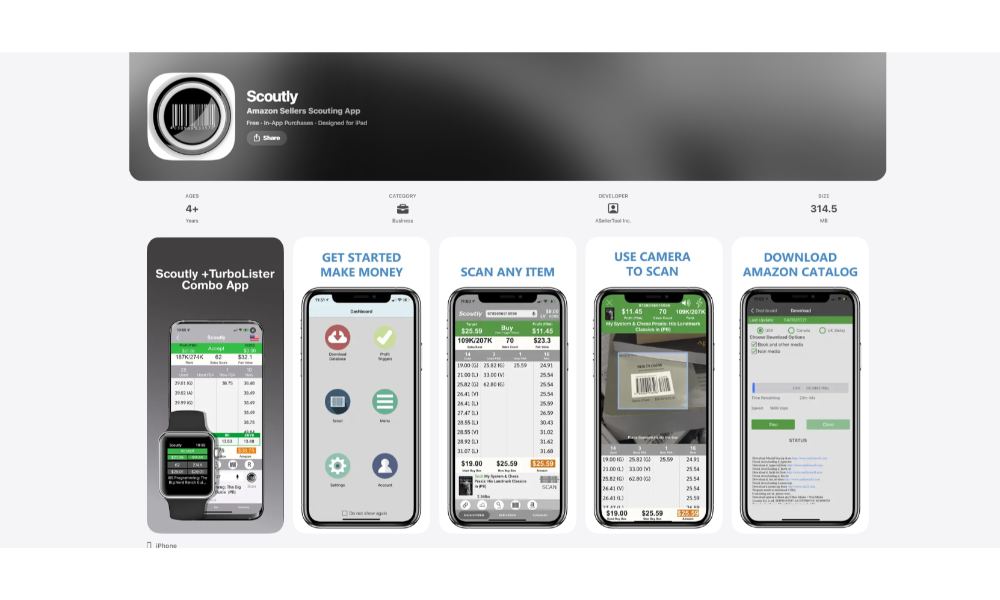
Scoutly, previously called FBAScan, built its reputation on one killer feature: downloadable database scanning. The entire Amazon catalog gets downloaded to your phone, delivering scan results in under 1 second even without any internet connection.
This matters more than you’d think. Big box stores often have terrible cell reception in certain areas. Walmart’s back corner clearance section might have zero signal. Library sales happen in basements. Estate sales are in old houses with thick walls. Other sellers stand around frustrated waiting for their apps to load while Scoutly users are scanning at full speed.
Key Features:
The app pulls historical sales rank and pricing data for up to a year, helping you understand seasonal patterns and typical price ranges. You can see if a product’s current price is normal or temporarily elevated.
Limitations:
Database search is limited to three countries (USA, Canada, UK), though live search works in Europe too. Some users report stability issues with frequent crashes, especially on older devices. The database takes up significant phone storage space, so you’ll need adequate capacity.
The Lite Plan doesn’t include offline database functionality and offers no trial period—you pay immediately. The 30-day free trial is only available with the Professional Plan.
Best for: Sellers who frequently source in locations with poor cell reception, anyone who needs extremely fast scanning for high-volume sessions, sellers who want full offline Amazon FBA app functionality.
Pricing: Lite plan $9.95/month (live mode only), Professional $35/month (includes database mode)
Compatibility: iOS and Android
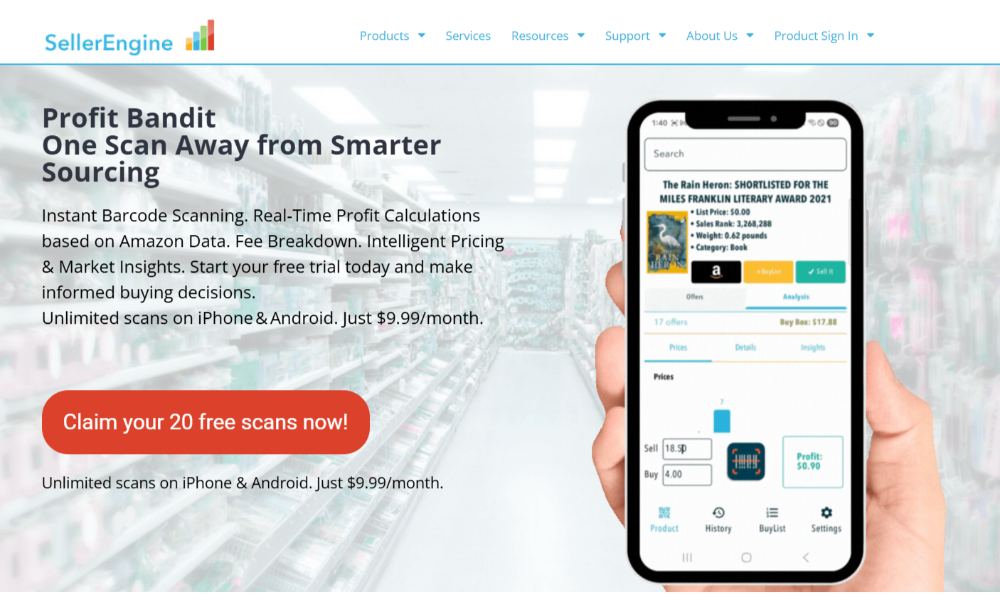
Profit Bandit delivers solid scanning functionality at an entry-level price point. Created by Seller Engine (the company behind the Sellery repricing tool), this Amazon barcode scanner app connects directly to Amazon’s API for live data access.
What makes Profit Bandit noteworthy is its comprehensive profit calculation that accounts for 15 different factors. The app considers Amazon fees, product weight, taxes, shipping costs, sales rank, and even the specific postage rates for media mail shipments. You get a detailed breakdown showing exactly how it arrived at the profit figure.
Key Features:
The Buy Box indicator is particularly valuable. Many Amazon scanner apps just show you the lowest price, but Profit Bandit identifies who actually holds the Buy Box right now. This matters because the lowest price doesn’t always win the Buy Box, especially if that seller has lower metrics.
Limitations:
Profit Bandit drains phone batteries faster than most Amazon FBA apps—carry a power bank for extended sourcing sessions. Unlike Scoutly, it requires stable internet connectivity for all lookups, which limits usefulness in areas with poor reception.
The app doesn’t include offline database functionality, meaning you’re stuck waiting for data to load in stores with weak signals. For casual scanning this isn’t a dealbreaker, but high-volume sellers will notice the slowdown.
Best for: Budget-conscious sellers who want solid profit calculations without premium pricing, sellers who primarily source in stores with good cell reception, anyone who values Buy Box information and direct Seller Central integration.
Pricing: $9.99/month with 20 free trial scans
Compatibility: iOS and Android
ScanPower isn’t just an Amazon scanner—it’s a complete business management system that happens to include powerful scanning capabilities. This tool targets larger operations running significant monthly volume through Amazon FBA.
The platform includes ScanPower List for creating listings and printing labels, ScanPower Report for tracking cost of goods sold and ROI, and ScanPower Evaluate for batch processing product lists with automated profitability calculations.
Key Features:
ScanPower provides average Best Sellers Rank calculations over different timeframes, helping you understand whether a product’s current rank is typical or an outlier. A product at rank 50,000 with a 365-day average of 150,000 is very different from one consistently around 50,000.
Limitations:
The comprehensive feature set comes with enterprise pricing—$79 to $199 monthly depending on your plan. This is only cost-effective for sellers moving significant volume who need integrated business management tools beyond basic scanning.
ScanPower is exclusively available to Professional seller accounts. Individual plan sellers can’t access it at all. The platform also has a steeper learning curve than simpler Amazon barcode scanner apps due to its extensive functionality.
Best for: High-volume sellers running $10,000+ monthly through Amazon FBA, sellers with warehouse operations requiring sophisticated inventory management, businesses shipping from multiple locations who need coordinated logistics.
Pricing: $79/month (Amazon Seller), $199/month (Enterprise Pro or 3PL Enterprise)
Compatibility: iOS, Android, Windows, macOS, Linux
SellerAmp takes a multi-pronged approach with a Chrome extension, web application, and mobile Amazon scanner app all working together. This 3-in-1 toolset gives sellers flexibility to research products from desktop or mobile depending on the situation.
The Chrome extension overlays Amazon product pages with real-time data, letting you evaluate products while browsing online stores for online arbitrage opportunities. The mobile app handles in-store barcode scanning for traditional retail arbitrage.
Key Features:
The alert system proactively warns you about products that could cause problems—hazmat items requiring special handling, oversized products with elevated FBA fees, or items with intellectual property restrictions from aggressive brands.
Limitations:
SellerAmp requires paid subscriptions starting at around $20 monthly (£13.95/month), positioning it in the mid-range pricing category. Some users report a steeper learning curve compared to simpler Amazon FBA scanner apps, particularly when getting started with the Chrome extension features.
The app works well but doesn’t offer the offline database functionality that makes Scoutly and ScoutIQ so valuable in stores with poor reception.
Best for: Sellers doing both online arbitrage and retail arbitrage who want integrated tools for both channels, sellers who research products on desktop before sourcing in-store, anyone who values comprehensive product research beyond basic scanning.
Pricing: Starting at £13.95/month (~$19.95/month USD)
Compatibility: iOS, Android, Chrome
Not all scanning features are created equal. After interviewing dozens of successful retail arbitrage sellers and analyzing what actually drives profitable buying decisions, certain capabilities emerge as non-negotiable for serious operations.
Walk into any Walmart supercenter and head to the back corner clearance section. Pull out your phone. Check your cell signal.
Chances are good you’ve got one or two bars at best. In stores like Costco with their metal warehouse construction, you might have zero connectivity. This is where offline database functionality separates serious Amazon FBA apps from tools that leave you stranded.
Apps like Scoutly and ScoutIQ download Amazon’s entire product database directly to your phone. When you scan a barcode, the lookup happens locally on your device in under 1 second. No waiting for slow data connections. No “Loading…” screens that stretch into 30-second delays. No frustrated re-scanning because the connection timed out.
The difference is dramatic. In a two-hour sourcing session, connectivity delays cost you 30-45 minutes of productive scanning time. That’s 30-45 minutes where other sellers are finding inventory while you’re watching loading spinners.
Here’s where basic Amazon scanner apps destroy seller margins. They show you a profit estimate that looks great—”$15 profit!”—but they’ve forgotten to account for long-term storage fees, or actual shipping dimensions that trigger higher FBA fees, or the state sales tax you’ll pay purchasing the item.
Premium Amazon barcode scanner apps calculate profits using 15+ factors:
The apps that skip these calculations? They’re giving you fantasy profit figures that evaporate once you account for real costs.
Seeing “Lowest FBA Price: $34.99” means absolutely nothing if Amazon itself sells the product at $33.50 and holds the Buy Box 95% of the time. You’re never getting that sale at any price.
Quality Amazon seller scanner apps explicitly show you:
This information changes buying decisions. A product with 8 FBA sellers but no Amazon competition might be great. The same product with Amazon as a seller is usually a pass unless you’re buying at incredible clearance prices that let you undercut everyone.
Current data is a snapshot. Historical data tells you the story.
An Amazon FBA app that integrates with Keepa or CamelCamelCamel shows you price fluctuation graphs right in the scanning interface. You can see if that $45 current price is normal or if it’s a temporary spike that will correct to $28 next week. You can identify seasonal patterns (products that spike every November and crash in January aren’t good buys in October).
Sales rank history is equally critical. A product at rank 50,000 today might have been at rank 200,000 three weeks ago and will return there soon. Or it might consistently stay around 40,000-60,000, indicating steady demand. The historical context tells you which.
Mental math slows you down. Every second you spend manually evaluating “Is $8.50 profit worth it for this product?” is a second you’re not scanning the next item.
Advanced Amazon barcode scanner apps let you set custom profit triggers. Tell the app “Alert me for anything over $10 profit with sales rank under 100,000” and it will vibrate your phone when you scan a winner. Everything else you can rapid-fire scan past without stopping to think.
This feature alone can double your scanning speed. You develop a rhythm of scan, scan, scan, scan, BUZZ, stop and evaluate, buy or pass, continue. Instead of scan, pause, think, decide, scan, pause, think, decide…
“Most expensive mistake new sellers make? Buying 40 units of a product they’re not allowed to sell. Amazon restricts tons of categories and brands, especially for newer sellers. The right scanner app warns you before you waste money on inventory you can’t list.” – Dilip Vamanan, Co-Founder of SellerApp
Amazon restricts thousands of products and entire categories. New sellers often can’t sell toys, grocery items, health and beauty products, or products from specific brands without getting approval first. Mid-tier sellers hit restrictions on high-value items or products with safety concerns.
Quality Amazon seller scanner apps flag these restrictions immediately. When you scan a product, the app checks against Amazon’s restriction database and warns you with clear alerts: “This product requires approval to sell” or “You are not authorized to sell this brand.”
Without this feature, you’re buying blind. You might load up on 30 units of a great clearance item, get home, try to create your listing, and discover you’re completely restricted from selling that brand or category. Now you’re sitting on $400 of inventory you can’t move through Amazon FBA.
The marketing materials for every Amazon barcode scanner make them sound flawless. Reality is messier. Let’s address the actual issues sellers encounter in the field.
App developers claim their Amazon scanner delivers “instant results.” In practice, instant means “anywhere from 1 second to 45 seconds depending on network conditions, time of day, Amazon API response times, and whether Mercury is in retrograde.”
We’ve tested every major Amazon FBA scanner extensively. Here’s what actually happens.
The Amazon Seller App typically delivers results in 2-4 seconds with good cell connectivity. Double or triple that in stores with weak signals. Profit Bandit is similar. Fast with good connectivity, painful with poor reception. These live-lookup-only apps become nearly unusable in locations with one bar of signal.
Scoutly and ScoutIQ with offline databases really do deliver sub-second results because they’re not dependent on network connectivity at all. But you pay for that speed with the subscription cost and phone storage space required for the database.
The real problem emerges when you’re scanning hundreds of items. A 3-second average scan time doesn’t sound bad until you realize that’s 15 minutes of pure scanning time for 300 items—and that’s assuming perfect conditions. Factor in occasional connection failures, barcode scanning errors requiring re-scans, and time spent evaluating promising items, and that two-hour sourcing trip becomes a race against closing time.
User forums are filled with complaints about Amazon scanner apps randomly crashing, especially on Android devices. You’re 90 items into a productive scanning session, you’ve identified 12 profitable products so far, and the app just freezes and crashes. When you restart it, your scan history and your mental tracking of which sections you’ve already covered are gone.
Scoutly gets particular criticism for stability issues. Multiple users report the app crashing 3-4 times during extended scanning sessions. ScoutIQ has similar occasional glitches in live mode, though database mode is generally more stable.
The solution most experienced sellers use: Force-close and restart the app every 45-60 minutes during long scanning sessions. This prevents crashes and clears cached data that can slow performance. It’s annoying, but less annoying than losing your progress.
Basic Amazon seller scanner apps show profit estimates that look great until you actually send the inventory to FBA and realize the app forgot about storage fees, miscalculated dimensional weight, or used outdated FBA fee structures.
We’ve seen sellers confidently buy inventory based on app profit calculations showing $12-15 margins, only to discover their actual net profit was $3-4 after accounting for costs the app missed.
The most common missed costs:
The apps with accurate profit calculation (ScanPower, SellerAmp, Profit Bandit) are worth premium pricing specifically because they factor in these hidden costs. The free Amazon Seller App and cheaper alternatives often give you optimistic projections that don’t match reality.
You scan a barcode. The Amazon scanner shows you five potential matching products. Which one is correct?
This happens constantly with products that come in multiple variations, pack sizes, or bundled configurations. That shampoo might exist as a single bottle, two-pack, three-pack, or family size. The UPC might be similar or identical depending on how the manufacturer labeled products.
Experienced sellers learn to carefully verify the exact product match before making buying decisions. Check the title, the images, the specific pack size mentioned in the listing. A three-second verification step prevents buying the wrong configuration and discovering your profit margin just evaporated because you’re selling a 2-pack listed as a 1-pack.
Some Amazon barcode scanner apps handle this better than others. The Amazon Seller App shows clear product images and detailed titles that help verification. Simpler apps just display text listings that require more careful evaluation.
Most Amazon FBA apps show you current data. That’s useful but incomplete. You need historical context to avoid expensive mistakes.
That product currently selling for $49? It might usually sell for $32, but there’s a temporary supply shortage that will resolve in two weeks. That sales rank of 18,000? Three weeks ago it was 180,000, and it’s trending back there.
Apps without Keepa integration leave you flying blind on price history and sales velocity trends. You’re making decisions based on a snapshot that might not represent normal market conditions at all.
This is why experienced sellers use multiple tools in combination. Scan with Profit Bandit or Scoutly for the fast profit check and restriction alerts, then verify promising items in Keepa to check historical context before buying significant quantities.
Different selling approaches require different Amazon FBA scanner tools. Let’s match scanner capabilities to specific business models.
ScoutIQ is non-negotiable. The eScore metric alone justifies the cost because it prevents the single biggest mistake book sellers make. Buying books with decent sales ranks that actually never sell.
Sales rank misleads book sellers constantly. A textbook at rank 800,000 sounds terrible, but if the eScore shows it sold 25 days in the last 180, that’s actually a solid buy during the right semester. Meanwhile, a book at rank 200,000 with eScore of 3 is dead inventory waiting to happen.
The offline database mode is equally critical for book sourcing. Library sales, estate sales, and thrift stores often have terrible connectivity. Sellers using live-only apps spend half their time waiting for results while ScoutIQ users scan at full speed.
Budget option: Start with the free Amazon Seller App to learn book scanning basics. Once you’re buying 20+ books weekly, upgrade to ScoutIQ’s full database plan. The speed and accuracy improvements pay for the subscription within your first sourcing trip.
Scoutify or Profit Bandit depending on volume and budget. Scoutify ($69/month with InventoryLab) makes sense for sellers moving 100+ units monthly who benefit from integrated inventory management. The Bluetooth scanner support and ideal buy triggers significantly speed up sourcing for high-volume operations.
Profit Bandit ($9.99/month) is the budget sweet spot for smaller operations. You get solid profit calculations, Buy Box information, and Keepa integration without the premium pricing. The main limitation is no offline database, so you’re dependent on cell connectivity.
Pair either scanner with a standalone Keepa subscription for comprehensive historical data. This two-app combination gives you fast scanning plus the historical context needed for informed buying decisions.
ScanPower or the Scoutify/InventoryLab combo. These tools are expensive, but the integrated inventory management, shipment creation, and multi-user capabilities justify the cost once you’re running $10,000+ monthly through Amazon FBA.
The key benefit isn’t scanning speed. It’s the seamless workflow from scanning to listing to shipment creation to accounting. You scan items in-store, they populate your buy list, you create FBA shipments directly from the buy list, and your accounting updates automatically. This automation saves hours of administrative work weekly.
ScanPower’s multi-marketplace support also matters at this volume. If you’re sourcing for both Amazon US and Amazon Canada, having unified tools that work across both marketplaces prevents the hassle of managing separate scanner apps for each country.
Start free with the Amazon Seller App. The basic functionality is genuinely adequate for sellers making 1-2 sourcing trips monthly and buying 20-40 items total. You don’t need offline database mode for casual scanning, and the built-in profit calculator handles simple scenarios.
Supplement the free app with the free version of Keepa to check price history on items that look promising. This zero-cost combination teaches you retail arbitrage fundamentals without monthly expenses.
Only upgrade to paid Amazon FBA apps when you’re consistently finding more inventory than you can properly evaluate with free tools, or when connectivity issues in your preferred sourcing locations make offline databases necessary.
Jennifer started selling on Amazon in early 2024 using only the free Amazon Seller App. She’d hit a couple local thrift stores each weekend, scan maybe 80-100 items, and buy 8-12 products that looked profitable. Monthly revenue hovered around $600-800.
Her Starting Position:
The Process We Followed:
Week 1-2: We helped Jennifer analyze her buying patterns. She was avoiding electronics and higher-priced items ($20+) because she couldn’t quickly assess risk versus reward with the basic scanner data. Historical price context was missing.
She subscribed to Keepa premium ($24/month) and started checking price history before buying anything over $15. Immediately she stopped making two types of expensive mistakes: buying items at temporarily elevated prices, and passing on items whose current “low” prices were actually normal.
Week 3-5: Jennifer upgraded from the free Amazon Seller App to Profit Bandit ($9.99/month). The comprehensive profit calculation revealed she’d been significantly overestimating margins on electronics due to missing FBA dimensional weight fees. But she also discovered profitable opportunities in kitchen gadgets and small appliances she’d been passing on.
The Buy Box indicator helped her avoid products where Amazon itself dominated sales. This single feature saved her from at least 5-6 bad buying decisions monthly.
Week 6-10: Jennifer expanded sourcing to include Walmart clearance sections. She’d been avoiding Walmart because of poor cell reception in their back corners. With Profit Bandit’s live lookups, she was stuck waiting for slow data connections.
She switched to Scoutly’s database mode ($35/month) for Walmart trips while keeping Profit Bandit for thrift stores. The offline scanning capability tripled her effective Walmart sourcing speed.
Week 11-16: With faster scanning and better data, Jennifer increased volume from 8-12 items weekly to 30-35 items. Her acceptance rate stayed around 10%, but she was now scanning 300-350 items weekly instead of 80-100.
Average profit per item increased from $6 to $8.20 because she was making more informed decisions and avoiding margin-killing mistakes. The combination of Keepa historical data and accurate profit calculations let her confidently buy higher-priced items with better absolute margins.
Result: Within 4 months, Jennifer was consistently running $4,200-4,800 monthly through Amazon FBA. Her total scanner app costs were $59/month (Scoutly + Keepa), which paid for themselves after her first 8 items sold each month.
Why This Worked: Jennifer didn’t jump straight to expensive tools. She started free, identified specific limitations blocking her growth, and upgraded strategically to address those exact bottlenecks. The progression from free app → add Keepa → upgrade scanner → add offline capability matched her evolving business needs perfectly.
Amazon’s marketplace tools have evolved significantly in 2025, with several changes directly impacting how sellers use scanner apps and manage their businesses.
Amazon launched Seller Assistant, an agentic AI system that proactively monitors account health, flags potential policy violations, and suggests corrective actions before problems escalate. This matters for retail arbitrage sellers because the AI can now scan your inventory listings and warn you about products that might violate new safety regulations or trigger intellectual property complaints.
The system works behind the scenes. If you list a product whose description inadvertently suggests pesticide functionality (which requires additional regulatory documentation), Seller Assistant flags it immediately and explains the issue plus resolution options.
For scanner app users, this means an additional safety net. Even if your Amazon barcode scanner app doesn’t catch restricted items, Amazon’s AI increasingly will before listings go live.
Enhanced Identity Verification Requirements
Amazon tightened seller verification in 2025 with mandatory facial recognition or video verification for most new US accounts. This doesn’t directly affect scanner apps, but it impacts new sellers getting started with retail arbitrage.
The more rigorous verification process delays account approval but also raises the barrier to entry for competitors. Experienced sellers with established accounts have a growing advantage as new competition faces longer approval timelines.
Starting July 13, 2025, Amazon only accepts test reports from labs meeting specific compliance requirements. Products requiring safety certification must use approved testing facilities or documentation gets rejected.
For retail arbitrage sellers, this means certain product categories became riskier. Toys, electronics, children’s products, and anything requiring safety certification needs verified documentation. Most retail arbitrage sellers can’t provide proper lab test reports for items bought at Target or Walmart.
The practical impact: Many sellers are avoiding categories with strict safety documentation requirements unless they’re buying directly from authorized distributors who provide compliance paperwork. Scanner apps can’t solve this problem, but knowing which categories trigger documentation requirements helps you avoid inventory you can’t legally list.
Amazon added a Stay Informed feature to the mobile Seller Central app consolidating announcements and policy updates. For sellers managing operations primarily through mobile apps (including scanner apps), this provides faster access to critical changes without needing desktop login.
Policy changes can impact inventory viability overnight. A new restriction on a product category means items you scanned and bought yesterday might not be listable today. Having immediate mobile access to policy announcements helps you adjust sourcing strategies quickly.
Once you’ve mastered basic scanning, these advanced tactics separate top-performing retail arbitrage sellers from the pack.
Professional sellers don’t rely on a single Amazon FBA app. Tthey use 2-3 in combination for different purposes. Here’s the typical setup:
Primary scanner: Profit Bandit, Scoutly, or Scoutify for fast initial evaluation and profit calculation. This is your speed tool for rapid yes/no decisions.
Historical verification: Keepa for checking price history and sales rank trends on any item that passes initial screening. This prevents buying at temporarily elevated prices.
Category-specific specialists: ScoutIQ exclusively for books, even if you use different scanners for other products. The eScore and book-specific features are too valuable to skip.
This multi-app approach costs more monthly but dramatically improves decision accuracy. You’re less likely to make expensive buying mistakes when multiple data sources confirm profitability.
Standard advice says “set your profit triggers at $8-10 minimum profit per item.” That’s too simplistic.
Experienced sellers use tiered profit triggers based on sales rank and category:
Additionally, adjust triggers by product size. Small items with low storage costs can work with smaller profit margins. Oversized items incurring higher storage fees need significantly higher absolute profits to justify the space they consume.
Program these tiered triggers into your Amazon scanner app if it supports sophisticated criteria. If not, memorize the thresholds and apply them manually during evaluation.
Product profitability follows seasonal patterns. Smart retail arbitrage sellers adjust their scanning focus throughout the year:
January-February: Focus on fitness equipment, organization products, and diet-related items (New Year’s resolution surge). Avoid holiday items unless buying clearance for next year.
March-April: Scan gardening supplies, outdoor furniture, spring cleaning products. Start looking at summer toys and beach items.
July-August: Back-to-school supplies peak. Start scanning Halloween items on clearance for resale in September-October.
September-October: Ramp up toy scanning for Q4. Holiday décor becomes profitable. Start buying winter sports equipment.
November-December: Avoid most scanning except extreme clearance—prices are peak and competition is fierce. Use this time for inventory management and planning.
This seasonal approach improves profitability because you’re buying products as demand is building, not after it’s already peaked. Your Amazon barcode scanner shows current data, but your calendar tells you where demand is heading.
Once you’re scanning 200+ items per sourcing trip, switching to a Bluetooth barcode scanner instead of phone camera scanning cuts your time per item by 60-70%.
Camera scanning requires precise positioning—hold the phone at the right distance and angle, wait for focus, wait for the app to decode the barcode. Bluetooth scanners are point-and-click fast. Aim vaguely at the barcode, pull the trigger, instant scan. You can scan 3-4 items in the time camera scanning takes for one.
Apps supporting Bluetooth scanners: Scoutify, ScanPower, Profit Bandit Pro. The scanner hardware costs $50-200 depending on model. For sellers doing weekly sourcing trips, the time savings pays for the hardware within a month.
The technique changes your scanning pattern. Instead of scan-pause-evaluate-decide, you rapid-fire scan entire shelves while watching your phone screen. The Amazon FBA app alerts you (vibration or sound) when something profitable appears. Everything else you blast past without stopping.
Your Amazon seller scanner scans individual barcodes. But sometimes the real profit is in bundling multiple items into a single listing.
When you find a deeply clearance product with marginal profit as a single unit, check if Amazon has profitable multi-packs listed. A single item netting $3 profit might net $15-18 profit bundled as a three-pack, and the incremental FBA fee is minimal.
The strategy requires thinking beyond what your Amazon barcode scanner shows you. When you scan an item showing $4 profit, manually check Amazon for multi-pack listings. If three-packs sell well with minimal competition, buy three units and create a bundle listing.
This technique works exceptionally well with consumables, small accessories, and craft supplies. Items people buy in multiples naturally convert to profitable bundle opportunities.
Even with the best Amazon FBA scanner, certain mistakes will destroy your profitability. Let’s address the ones we see repeatedly.
Scanner apps make mistakes. Barcodes occasionally misread. Product matches are sometimes wrong. Profit calculations have bugs. API connections return stale data.
Blindly trusting your Amazon barcode scanner without verification is how sellers end up with inventory that doesn’t match what they thought they bought.
The verification protocol takes 10 seconds:
“Sellers get burned when they assume the scanner app is always right. I’ve seen people buy entire pallets of products based on scanned data, only to discover their UPC matched a different variation or the app’s profit calculation used outdated fee structures. Ten seconds of verification per item prevents thousand-dollar mistakes.” – Michael, 8-figure DTC brand founder (SellerApp Client)
This verification step feels tedious when you’re scanning fast, but it prevents expensive disasters. That extra 10 seconds is cheap insurance against buying wrong products or basing decisions on bad data.
Most Amazon seller scanner apps calculate profit based on immediate sale assumptions. They factor in monthly storage fees, but they assume you’re selling the product within 30 days.
Reality is messier. Seasonal items sit for months. Slow-moving inventory accumulates storage fees. Products with sales ranks over 200,000 might take 90-120 days to sell. After 6 months, Amazon charges long-term storage fees that can eat 50-70% of your profit margin.
The fix: Manually adjust your profit expectations based on expected storage duration. If a product’s sales rank suggests 60-90 days to sell, mentally subtract an additional $2-4 in storage costs from the scanner app’s profit estimate. If sales rank indicates 120+ days, skip it entirely unless profit margins exceed $20.
Don’t let your Amazon FBA app lull you into thinking $8 estimated profit is always $8 actual profit. Storage duration dramatically affects real margins.
Your Amazon scanner app might factor in basic FBA fulfillment fees, but does it accurately calculate inbound shipping costs to get products to Amazon’s warehouse?
Inbound shipping varies dramatically based on location, weight, and distance to FBA centers. Living near an FBA center means lower costs. Living far from any center significantly increases the cost of getting inventory into Amazon’s system.
Oversized and heavy items are particularly tricky. That profitable-looking patio furniture might show $25 profit on your Amazon barcode scanner, but getting it to the FBA center costs $18 in shipping. Your actual profit just dropped to $7—assuming nothing else was miscalculated.
The solution for experienced sellers: Develop your own inbound shipping cost estimates based on actual past shipments. Add 10-15% buffer for price fluctuations. Subtract these real costs from scanner profit estimates to get accurate projections.
Different product categories have dramatically different return rates on Amazon. Electronics run 10-15% returns. Apparel can hit 20-30%. Home goods stay around 5-8%. Books and media are typically under 3%.
Your Amazon seller app scanner shows gross profit before returns. It doesn’t account for 15% of your electronics sales coming back as returns, each costing you return processing fees plus the lost margin on the unit.
When scanning electronics, mentally reduce profit estimates by 15-20% to account for probable returns. For apparel, assume 25-30% will come back. This gives you realistic profitability expectations based on actual category performance.
Items with high return rates need significantly higher gross margins to justify buying. A $10 profit margin on an electronic item might only yield $7-8 after factoring in return probability and associated costs.
Sales rank 50,000 means completely different things in different categories. Rank 50,000 in books? Dead inventory that might take 6 months to sell. Rank 50,000 in electronics? That’s solid movement, likely selling within 2-3 weeks. Rank 50,000 in toys during Q4? Could sell in days.
Your Amazon FBA scanner shows the rank number, but it doesn’t automatically contextualize what that number means for sales velocity in that specific category at that specific time of year.
Experienced sellers develop category-specific rank thresholds:
Learn these thresholds for your primary categories and apply them mentally when your Amazon barcode scanner displays sales ranks. Don’t treat all ranks as equivalent across categories.
The Amazon seller app scanner landscape is evolving rapidly. Based on developer announcements and industry trends, here’s what’s coming.
Next-generation Amazon FBA apps will use machine learning to predict future profitability based on historical patterns. Instead of just showing “current profit: $12,” apps will indicate “predicted profit over next 60 days: $8-14 based on typical price patterns for this ASIN.”
This predictive capability helps sellers make better decisions about seasonal items and products with volatile pricing. The AI analyzes months or years of historical data to forecast probable scenarios, giving you probability ranges instead of single-point estimates.
Barcode scanning works great until you encounter products without readable barcodes—damaged packages, handmade items, or products where barcodes are concealed. Visual search technology is improving rapidly.
Within 12-18 months, expect Amazon scanner apps to identify products from images with 90%+ accuracy, even without barcodes. Point your camera at a product, and AI will analyze visual features to find matches in Amazon’s catalog.
This especially benefits thrift store sourcing where barcode quality is inconsistent and sellers working with products like artisan goods that might not have traditional UPC codes.
The line between retail arbitrage and wholesale sourcing is blurring. Future Amazon barcode scanner apps will likely integrate wholesale vendor databases, showing you which products have available wholesale sources alongside retail pricing.
Scan a profitable item at Target, and the app might indicate “Available wholesale from Supplier X at $8.50/unit (100 unit minimum)” giving you a pathway to scale beyond one-off retail purchases.
Current Amazon seller scanner apps show whether a product is restricted for you to sell, but they don’t show Amazon’s current inventory levels or whether the marketplace is oversaturated with FBA sellers.
Advanced apps that are coming up in 2026 will incorporate real-time inventory tracking showing:
This helps avoid the scenario where you buy inventory for a currently profitable product, but 50 other sellers had the same idea and now there’s excessive competition by the time your inventory reaches FBA.
The free Amazon Seller App is genuinely adequate for casual sellers starting out. Thousands of sellers run profitable small operations using only Amazon’s free Amazon barcode scanner tool.
The limitations appear once you’re scanning 100+ items weekly and need faster scanning, offline capability, or historical data context. If you’re consistently finding profitable inventory and hitting sourcing time constraints with the free app, that’s when paid tools become worth the investment.
Most major Amazon scanner apps support multiple marketplaces. Keepa works across 13 Amazon marketplaces including US, UK, Germany, Japan, Canada, France, Italy, Spain, India, Mexico, Brazil, Australia, and more.
ScanPower covers US, Canada, Mexico, UK, Germany, France, Italy, Spain, and Australia. Scoutly’s database mode works for US, Canada, and UK. Check specific app documentation for your target marketplace—functionality varies significantly by country.
Amazon scanner apps focus specifically on scanning product barcodes to evaluate profitability for items you find in physical stores. Tthis is retail arbitrage.
Amazon arbitrage apps are broader tools that include online arbitrage functionality for sourcing from websites, automated deal finding, bulk product research, and sometimes scanning features.
Many sellers use both types of tools: scanner apps for in-store retail arbitrage, arbitrage apps for online sourcing.
Accuracy varies dramatically by app. The free Amazon Seller App provides basic calculations that skip several important fees. Expect 15-25% overestimation of profits. Mid-tier apps like Profit Bandit calculate across 15+ variables with 5-10% typical variance from actual profits.
Premium tools like ScanPower and Scoutify generally stay within 3-5% of real profitability when properly configured. The biggest accuracy factors: whether the app accounts for long-term storage fees, correctly calculates dimensional weight, and includes applicable sales taxes.
Yes, all major Amazon FBA scanner apps support both iOS and Android. However, user reports suggest slightly better performance on iOS devices. Android users occasionally report more frequent crashes, particularly with Scoutly and ScoutIQ.
If you’re choosing between devices specifically for scanning, iPhone tends to have more reliable app performance and better camera autofocus for barcode scanning. But the difference isn’t dramatic enough to switch platforms just for scanning capability.
Most Amazon barcode scanner apps work with both Professional and Individual seller accounts. The main exceptions: Scoutify requires a Professional account, and ScanPower is Professional-account only.
The free Amazon Seller App works with both account types. If you’re on an Individual plan ($0.99 per sale, no monthly fee), you can use Amazon Seller App, Profit Bandit, Scoutly, ScoutIQ, Keepa, and SellerAmp without issues.
ScoutIQ dominates book selling for good reason. The eScore metric showing actual selling days is invaluable for avoiding dead inventory. The offline database mode is essential for library sales and estate sales with poor connectivity.
Book sellers using general-purpose Amazon FBA apps miss critical book-specific features like ISBN scanning with OCR backup, integration with book buyback services, and sales velocity metrics tailored to publishing categories. If books represent 20%+ of your business, ScoutIQ’s $44/month pays for itself.
Bluetooth scanners pair with your phone via Bluetooth, then function as external barcode readers for compatible Amazon barcode scanner apps (Scoutify, ScanPower, Profit Bandit Pro support Bluetooth).
You aim the handheld scanner at barcodes and pull the trigger, the scan instantly appears in your app without touching your phone. For high-volume sellers scanning 200+ items per trip, Bluetooth scanners cut scanning time by 60-70%. A $75-150 Bluetooth scanner pays for itself within 2-3 weeks of regular use.
For casual sellers scanning 30-40 items weekly, phone camera scanning is adequate.
Yes, quality Amazon FBA apps flag restricted products with warnings like “Requires approval to sell” or “You are restricted from this brand.” The accuracy of these restrictions checks varies.
The Amazon Seller App has the most current restriction data since it connects directly to Amazon’s systems.
Third-party apps like Profit Bandit and Scoutify maintain restriction databases but may lag 1-2 days behind Amazon’s updates. Always verify restriction status in Amazon Seller Central before buying significant quantities of any new-to-you brand or category.
This happens occasionally with clearance items, discontinued products, or store-specific brands. If the Amazon barcode scanner returns “no matches found,” try these steps:
1) Manually search Amazon using the product name,
2) Check if the item has multiple barcodes and scan alternatives,
3) Use visual search if your app supports it,
4) Search by brand name to find similar items you could bundle with.
Products not on Amazon can’t be sold as FBA unless you create new catalog listings, which requires significant sales history for Amazon to allow. Most retail arbitrage sellers skip products not already in Amazon’s catalog.
After analyzing every major Amazon seller scanner app, testing them extensively in real sourcing situations, and interviewing dozens of successful retail arbitrage sellers, here’s our bottom-line guidance.
For complete beginners (0-3 months selling): Start with the free Amazon Seller App plus Keepa’s free tier. This zero-cost combination teaches you scanning fundamentals, profit calculation basics, and how to evaluate products without committing to subscriptions. Once you’re consistently finding profitable items and understand your category preferences, upgrade tools to match your specific needs.
For developing sellers ($500-2,000 monthly revenue): Upgrade to Profit Bandit ($9.99/month) and Keepa premium ($24/month). This $35 monthly investment delivers comprehensive profit calculations, historical data context, and Buy Box information for under $1.20 per day. The improved decision accuracy typically adds $100-300 monthly profit, making the tools self-funding with margin to spare.
For serious retail arbitrage operators ($2,000-10,000 monthly): Invest in category-appropriate premium tools. Book sellers need ScoutIQ ($44/month). General merchandise sellers should choose Scoutify with InventoryLab ($69/month) or Scoutly Professional ($35/month) depending on whether inventory management integration matters. Pair with Keepa premium for historical verification. This $75-95 monthly tool stack supports the scanning speed and data accuracy required for significant volume.
For high-volume operations ($10,000+ monthly): ScanPower ($79-199/month) or Scoutify/InventoryLab with additional tools provides the enterprise features, multi-user capabilities, and workflow automation needed to scale past five figures monthly. At this volume, the percentage cost of tools becomes negligible compared to the operational efficiency gains.
The progression doesn’t need to be linear. You might start with free tools, identify that books are your profitable niche, and jump straight to ScoutIQ without intermediate steps. Or you might find Walmart clearance your sweet spot and go directly to Scoutly for offline database scanning.
What matters is matching tool capabilities to your actual needs, not just buying the most expensive Amazon FBA app assuming it’s automatically best.
The retail arbitrage sellers making $5,000-15,000 monthly aren’t necessarily using more tools than sellers making $1,000 monthly. They’re using the right tools for their specific sourcing channels, combined with solid product knowledge and consistent execution.
Your Amazon scanner app is a multiplier. It multiplies your existing product knowledge, sourcing consistency, and decision-making skills. The best Amazon barcode scanner in the world won’t turn someone who doesn’t understand FBA profitability into a successful seller. But it will help an already-good seller make better decisions faster, which compounds into significantly better results.
That clearance aisle you walked past last week? It’s still there. The difference between you and successful retail arbitrage sellers isn’t luck or secret sources. Tt’s having the right Amazon seller app scanner and knowing how to use it effectively.
Download your chosen tool, hit your local Target or Walmart, and start scanning. The profitable inventory is waiting. Your Amazon FBA app just makes it visible.